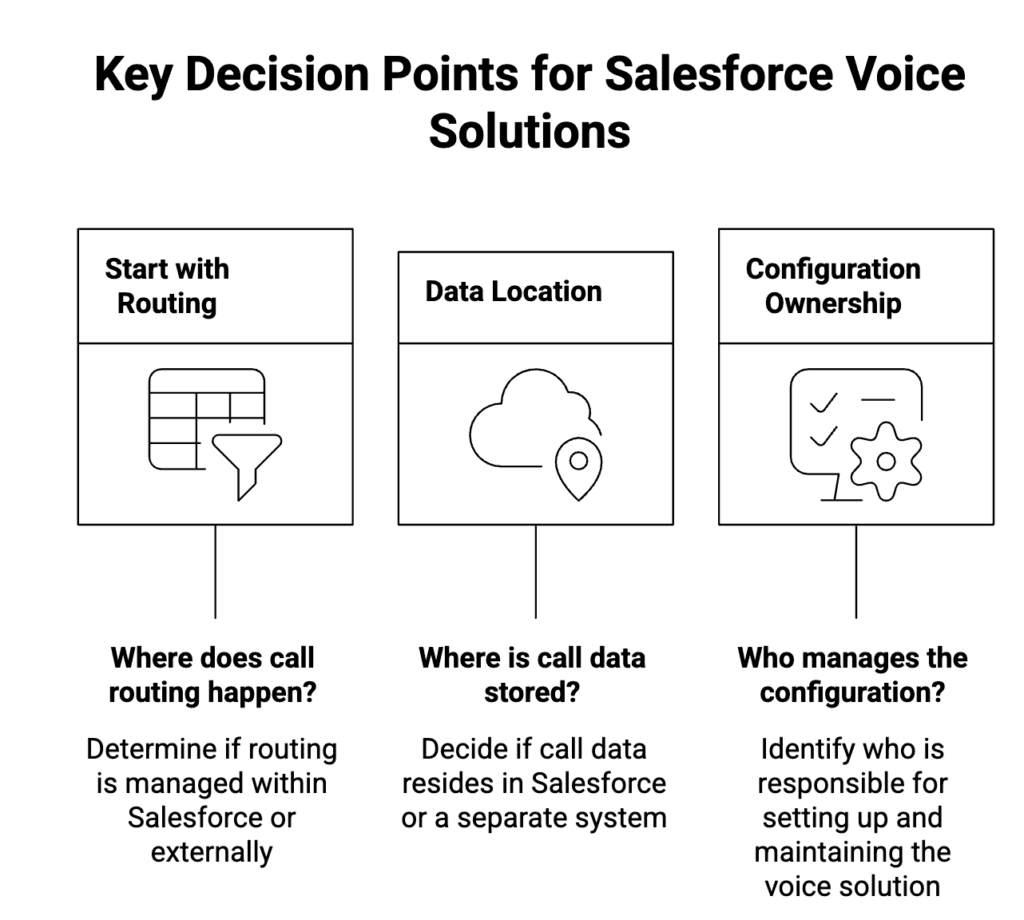
If you’re choosing between Service Cloud Voice and a CTI solution, don’t start with features. Instead, start with where routing lives, where call data lives, and who owns the configuration. Those decisions determine reporting, governance, and long-term maintenance.
They’re not interchangeable terms
Service Cloud Voice is a Salesforce voice product experience inside Service Console.
CTI is a category of integration patterns, and that range is wide. For example, “CTI” might mean:
- A basic Open CTI softphone,
- An embedded external contact-center UI,
- or a Salesforce-native approach where calls behave like Salesforce records immediately.
Therefore, the real question is: which pattern matches your Service Cloud operating model?
The five questions that decide this cleanly
1) Where does routing happen?
If your service org runs on Omni-Channel, routing is not a side detail. However, many CTIs still route in the vendor platform first, then sync outcomes into Salesforce. As a result, you maintain two routing models.
Ask: When queues/skills/business hours change, do admins update Salesforce, or a separate console?
2) What is the “call record” in Salesforce?
Service Cloud Voice aligns to Salesforce’s voice data model (including VoiceCall).
In contrast, many CTIs log a call as a Task, a custom object, or a delayed sync record.
Ask: Do you need call events to be first-class Salesforce data for workflow and reporting, or is “activity logging” enough?
3) Is reporting based on Salesforce data or reconciliation?
Some setups give Salesforce a real-time call record you can report on directly. Others push summaries later, which means dashboards become “CRM activity vs telephony truth.”
Ask: Will leadership treat Salesforce dashboards as the source of truth, or will they accept a telephony portal for analytics?
4) Where do recordings and transcripts live?
This is where compliance and security discussions become real. If recordings live outside Salesforce, governance usually involves:
- Retention rules in the vendor system,
- Access controls duplicated outside Salesforce,
- and manual audit work when disputes happen.
Ask: Can you control access using Salesforce permission sets/FLS, or do you need a second permission model?
5) Who owns ongoing change?
Even if initial setup is fast, change is what hurts later. For example, routing tweaks, new queues, new numbers, and supervisor controls tend to drift if they live outside admin-owned Salesforce configuration.
Ask: Can admins own configuration using Salesforce-native tools, or will you depend on vendor changes and separate consoles?
A practical decision rule
Service Cloud Voice is usually the right fit when:
- Voice must behave like a core service channel, aligned to Omni-Channel operations,
- You want alignment to Salesforce’s voice data model for workflow/reporting,
- And you’re comfortable with a defined telephony model.
A CTI solution is usually the right fit when:
- You need calling inside Lightning with reliable screen pops and logging,
- Your telephony stack is fixed and you’re minimizing disruption,
- And you accept that deeper analytics or some controls may live outside Salesforce.
In practice, teams regret the choice when they pick a UI convenience that later forces data and governance work.
How DialForce maps to this decision
When the requirement is ‘no external CTI UI’ DialForce provides click-to-dial, screen pops, logging, recordings, and routing from within Salesforce.
If you want to review DialForce’s native CTI approach inside Salesforce, you can find DialForce on AppExchange. AppExchange Link
👉🏻 Request a 15-minute architecture walkthrough for our Service Cloud voice setup
Author: Nikhil – Senior Client Consultant
I spearhead marketing and Salesforce telephony integration initiatives for DialForce, a cutting-edge solution connecting Twilio with Salesforce. I craft high-impact blogs, guide users through onboarding and training, and drive adoption of advanced call management and automation across industries. Passionate about enhancing customer engagement through technology, I support businesses in improving their communication processes.