The Mobile Call feature allows Salesforce users to call customers using their mobile phone, but the call is handled through Salesforce.
It works like a three-way (conference) system, where:
- Salesforce first calls you (the agent)
- After you answer, Salesforce calls the customer
- Both calls join together in a conference call
Let’s break it down clearly.
1. What this enables you to do? #
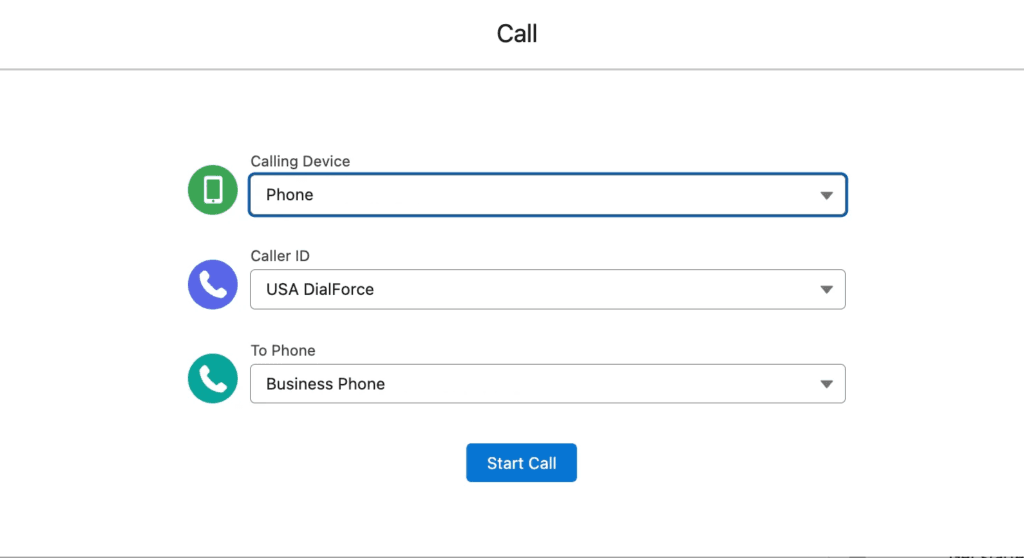
You (the Salesforce user) can make a customer call directly from Salesforce.
The process is:
Step 1 — Choose the calling options #
On the Salesforce screen, you will see three fields:
Calling Device (Your Phone Number) #
- This is the phone number where you want to receive the first call.
- Salesforce will call this number first.
Caller ID (CTI Number) #
- This is a number used as your display number when the customer receives the call.
- Customer will see this number as the caller.
To Phone (Customer Number) #
- These are customer phone numbers available from the record.
You select the number you want to call.
2. Start Call Button – What It Does #
After selecting the three numbers, you click Start Call.
Then these things happen:
Step 1 – Salesforce calls YOU first #
- The “Calling Device” number you selected will ring.
- You must answer this call.
Step 2 – After you answer, Salesforce calls the customer #
- Once you pick up, Salesforce automatically dials the customer.
- The customer will see the Caller ID number you selected.
Step 3 – Both calls connect together #
- The call becomes a conference call.
Now you can talk to the customer normally.
3. Notes Pad During the Call #
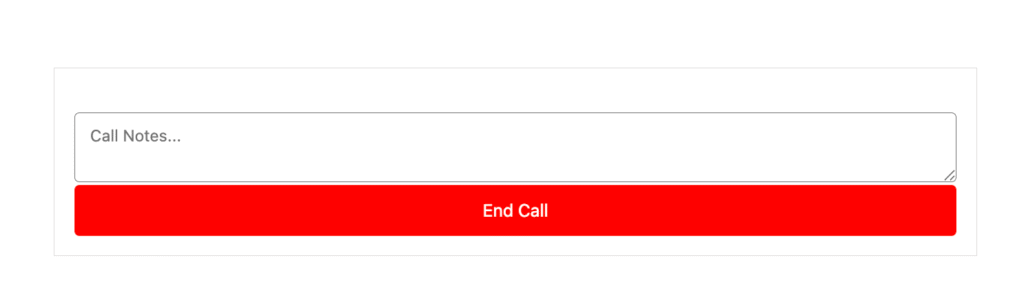
While the call is ongoing, Salesforce shows a notepad section.
In this notepad:
- You can write call notes
- You can track important details
- These notes help capture conversation points
The notes look similar to a simple text area box where you can type information during the call.
4. What Happens After the Call Ends? #
When the call ends:
- The notes you typed inside the notepad
will automatically be saved into the related Salesforce record. - This helps you store customer call details for future reference.
So you don’t have to manually write or save extra information later.
5. Where Do You Access This Feature? #
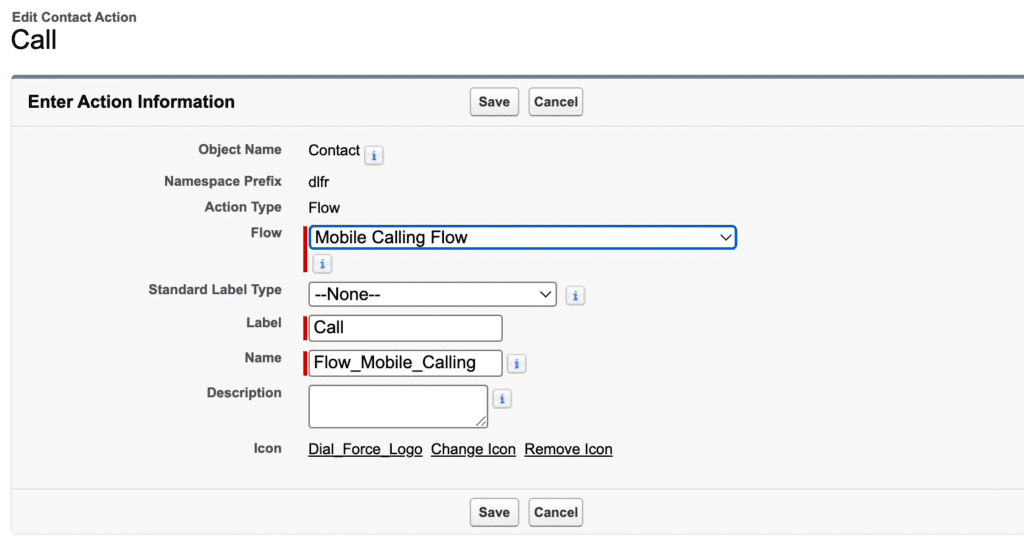
This entire calling process happens when you click the “Call” button
on the Salesforce record detail page and You have to create and add it to the record detail page.
That button triggers the UI and process described above.
Final Summary (Easy Perspective) #
Here’s the whole flow in very simple words:
- You open a customer record.
- You click the Call button.
- You choose:
- Your phone number
- Caller ID
- Customer’s phone number
- Your phone number
- Click Start Call
- Salesforce calls you first → you answer
- Then Salesforce calls the customer
- Both calls connect together
- You get a notes section to write during the call
After the call ends → notes are saved in the record


