
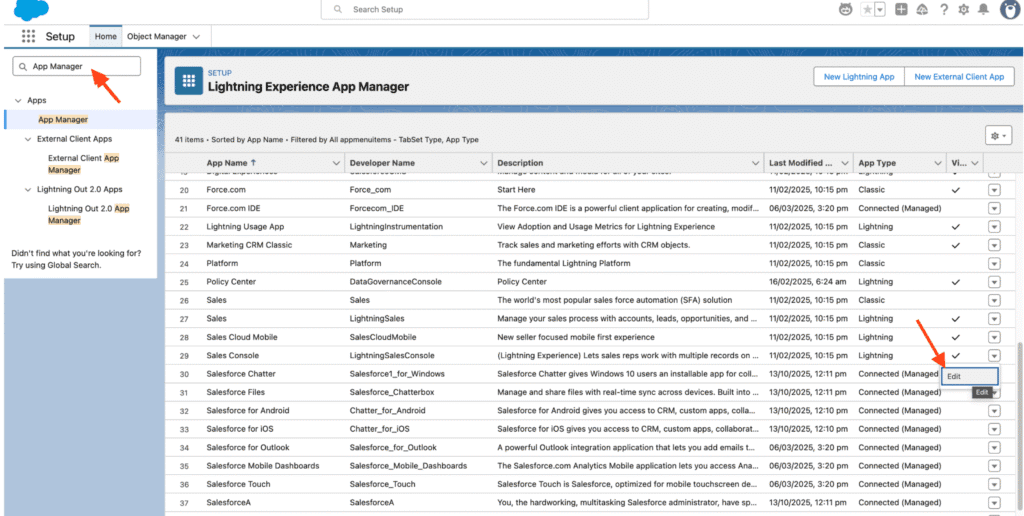
Step 1: Go to Setup → In the Quick Find box, search for “App Manager.”
Step 2: Locate the app where you want to add the dialer and click Edit.
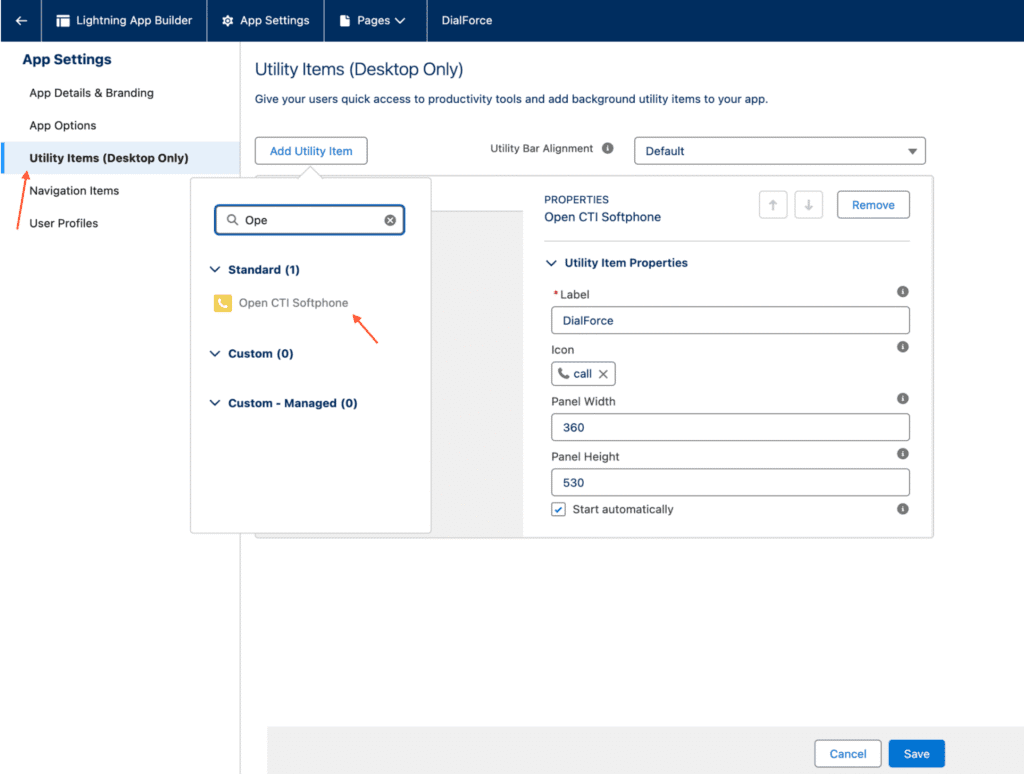
Step 3: In the Utility Items tab, click Add Utility Item and select “Open CTI Softphone.”
Step 4: Set the following options:
- Label: (enter your preferred name)
- Panel Width: 360
- Panel Height: 530
- Check the box for “Start Automatically.”
Step 5: Click Save to complete the setup.


