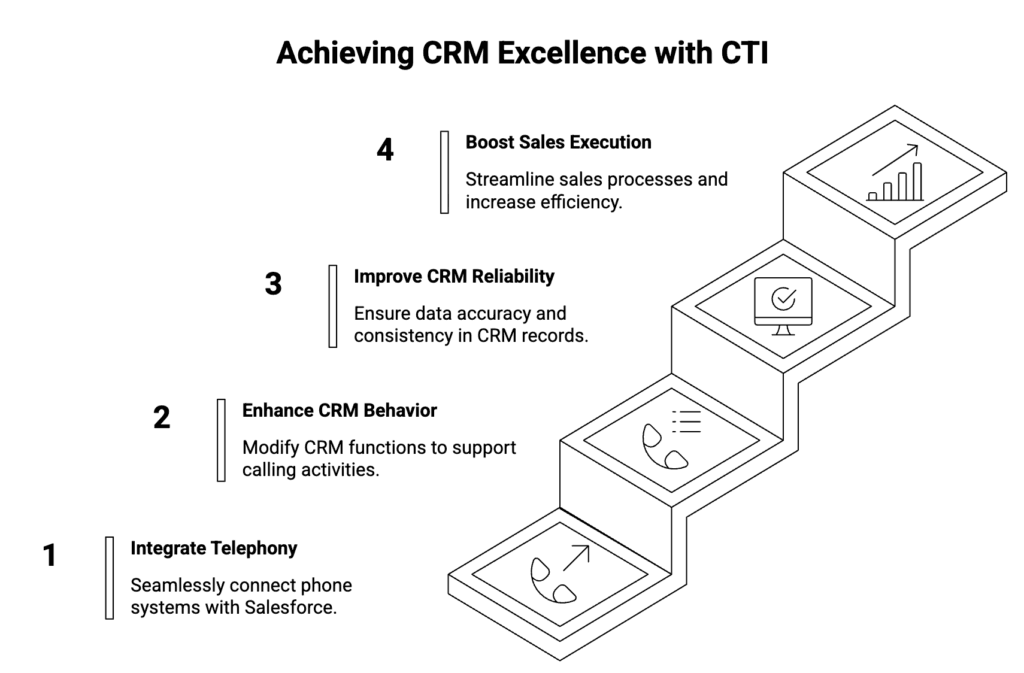
In a lot of Salesforce orgs, the CRM is solid but calling still lives on desk phones, mobiles, or a separate app. Calls do happen, notes sometimes make it back into Salesforce, and managers try to stitch together a picture of activity from partial data.
CTI is often reduced to “click-to-dial and call logging.” In reality, when telephony is wired natively into Salesforce, it changes how the CRM behaves day to day: which records are created, how work is queued, and how easy it is to keep follow-up consistent.
The rest of this article stays on that level and looks at a few specific areas where a well-implemented CTI setup tends to improve both CRM reliability and sales execution.
1. Every call becomes structured CRM data
Without CTI, calls show up as:
- a note on a Lead
- a few lines in a spreadsheet
- or nothing at all
As a result, you cannot reliably answer simple questions such as:
- How many conversations did we have with this account last quarter?
- Which stage are outbound calls stalling in?
- Which campaigns actually led to live conversations?
With CTI that writes directly into Salesforce, each call can be represented as a Voice Call (or similar) record from the moment it starts. Then you can:
- Link the call to Lead / Contact / Account / Opportunity
- Capture direction, duration, outcome, and recording reference
- Attach disposition codes that match your pipeline stages
Because the data lands as first-class CRM records, reports stop depending on guesswork. You can build dashboards on standard objects instead of exporting logs from an external telephony portal.
2. Speed-to-lead becomes enforceable, not just aspirational
Most teams talk about “calling new leads fast.” However, without CTI inside Salesforce, the process usually depends on someone refreshing a list view and then dialing manually.
When CTI is native to Salesforce, you can:
- Trigger call tasks or dialer lists as soon as a Lead is created
- Use click-to-dial directly from Lead, Contact, or Opportunity
- Route inbound calls from new prospects to a queue that is monitored in Omni-Channel
Because the softphone lives in the same UI as the Lead record, reps can react while the context is still on screen. In addition, you can define a simple rule set, such as:
- “All form leads should receive a call attempt within 15 minutes during business hours.”
Then you can actually measure whether that happens by comparing:
- Lead created time
- First Voice Call created time
- Disposition and outcome
This turns “speed-to-lead” from a slogan into something you can report on and improve.
3. Routing focuses people on the right work
In many orgs, reps spend time deciding what to do next: which list to pick, which numbers to call, who should handle which country or language. CTI that is tightly aligned with Salesforce routing can remove a lot of that manual decision-making.
For example, with Salesforce as the routing brain you can:
- Use Omni-Channel queues and skills to send inbound calls to the right team
- Respect business hours and presence so off-hours calls go to voicemail or overflow
- Build simple rules such as:
- New prospects → SDR queue
- Existing customers with open Cases → support queue
- High-value accounts → named owners or VIP queue
Because the CTI layer asks Salesforce “who should receive this call?” instead of deciding on its own, the logic is visible to Admins and Architects. It is also easier to change when regions, teams, or hours evolve.
The result is that agents spend more time talking to the right people, and less time choosing what to do next.
4. Follow-up discipline is driven by dispositions and tasks
A lot of pipeline leakage happens after the call, not during it. Someone promises a follow-up, forgets to create a task, and the opportunity goes quiet. With a native voice layer if call outcomes are handled as structured data, not just free-text comments.
With integrated Voice Call records and Tasks, you can:
- Require a disposition at the end of each call
- Map each disposition to a simple follow-up action:
- “Left voicemail” → task in 2 days
- “Requested demo” → meeting and recap email
- “Not the right contact” → update fields and re-route
- Keep the “next step” visible on the Opportunity or Account
Because everything lives in Salesforce, managers can see:
- which deals have had recent conversations
- which calls ended without any follow-up task
- which reps are skipping dispositions or using “Other” too often
This makes coaching easier and moves follow-up from “good habit” to “normal outcome of each call.”
5. Coaching and continuous improvement become data-driven
When calls are made outside the CRM, coaching depends on shadowing or anecdote. Even when recordings exist in a separate portal, managers rarely have time to log in, search, and correlate them with pipeline movement.
With CTI records in Salesforce, you can:
- Attach recording references directly to Voice Call records
- Build views such as:
- “Recent calls on slipped opportunities”
- “Calls where disposition was ‘Objection – price’”
- Let supervisors listen, whisper, or barge from the same console where they view the record
Over time, patterns emerge:
- Which talk tracks actually move deals to the next stage
- Which objections stall and never recover
- Where junior reps need specific support
Because all of this is tied to Opportunities and Accounts, it is easier to connect coaching with real revenue outcomes instead of generic QA scores.
Where native Salesforce CTI changes the picture
All of the benefits above assume that CTI is not just “integrated” with Salesforce, but behaves like part of the platform.
When telephony runs in an iframe or separate desktop app, you often see:
- partial logging (only some calls written back)
- delays or gaps in syncing outcomes and recordings
- routing rules split between Salesforce and an external admin portal
When CTI is implemented natively on Lightning using Open CTI and Salesforce Voice APIs, calls are represented as Voice Call records from the start. Routing uses Omni-Channel queues, skills, and hours. Automation uses Flow and Apex on standard objects. Reporting runs on the same data model as the rest of your CRM.
At that point, “CTI improving CRM performance” is not a slogan. It is a side-effect of the architecture: work, data, and coaching all move through the same system.
One implementation of this pattern with DialForce
If you agree that CTI should live inside Salesforce – routing through Omni-Channel, logging to Voice Call, and using Flow for automation, then the remaining question is which implementation follows that model.
DialForce is built around that approach:
- It runs as a native CTI on Salesforce Lightning.
- The softphone is a Lightning component using Open CTI and Salesforce Voice APIs, not an external window.
- Calls are stored as Voice Call records and linked to Leads, Contacts, Accounts, and Opportunities.
- Routing uses Omni-Channel queues, skills, and business hours defined in Salesforce.
- Twilio handles the carrier side, while call data and reporting stay in your org.
You can treat this blog as a reference pattern: any CTI you evaluate should either match it or make the trade-offs explicit. If you want to compare your current setup to this model, the DialForce team can walk through it with you and point out where it aligns and where it differs.
👉🏻 Schedule a quick CTI sanity check
For teams that want a native Salesforce CTI that follows this model, you can review DialForce on AppExchange
Author: Nikhil – Senior Client Consultant
I spearhead marketing and Salesforce telephony integration initiatives for DialForce, a cutting-edge solution connecting Twilio with Salesforce. I craft high-impact blogs, guide users through onboarding and training, and drive adoption of advanced call management and automation across industries. Passionate about enhancing customer engagement through technology, I support businesses in improving their communication processes.